Legal Usage Policy
TinyTask is distributed as freeware by Vista Software under a license that permits unlimited personal and commercial use at no cost. You may use TinyTask to automate legitimate workflows on systems you own or are authorized to manage, including data entry, software testing, file management, and repetitive office tasks.
You may distribute the unmodified TinyTask.exe file to coworkers, include it in internal tools folders, and compile macros into standalone executables for authorized business purposes. You may not decompile, reverse-engineer, or create derivative works based on the TinyTask binary.
Laws concerning automation software vary by country and jurisdiction. Users are responsible for ensuring their use of TinyTask complies with local laws, employment agreements, software terms of service, and organizational IT policies. Using automation tools to circumvent security controls, access restricted systems without authorization, or violate third-party terms of service is prohibited.
Ethical Usage Statement
TinyTask is designed to save time on repetitive, mundane computer tasks. Ethical use means automating workflows you would otherwise perform manually, with permission, on systems you control or are authorized to use.
- ✓ Automate data entry, form filling, and batch file operations in your own applications
- ✓ Create testing macros for software you develop or maintain
- ✓ Distribute compiled EXE macros to colleagues for approved business processes
- ✗ Use automation to gain unfair advantages in online games with active anti-cheat systems
- ✗ Automate actions that violate website terms of service, spam policies, or rate limits
- ✗ Deploy macros on systems without the owner's knowledge or consent
tiny-task.net advocates responsible automation. If your use case requires conditional logic, consent verification, or audit trails, consider whether a more advanced automation platform is appropriate for your environment.
Freeware Transparency
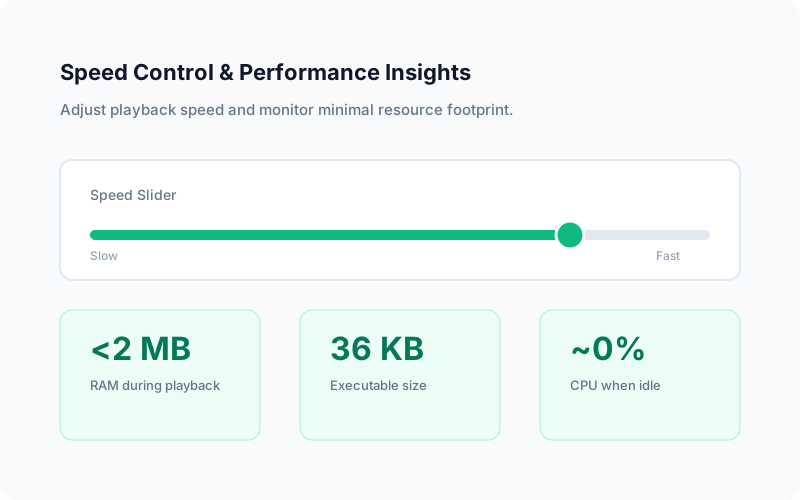
TinyTask is not open source, but its freeware status and 36 KB size provide a practical form of transparency. The entire program is smaller than most favicon images. There is no installer that could bundle additional software, no registry persistence, no background services, and no network connectivity.
When you close TinyTask, nothing remains running. The program does not modify HKEY_LOCAL_MACHINE or HKEY_CURRENT_USER in the Windows registry. It does not create folders in AppData, LocalAppData, or ProgramData. Removing TinyTask is as simple as deleting one file.
No Malware Clarification
TinyTask is not malware, spyware, adware, or a trojan. It is a legitimate macro recorder that hooks keyboard and mouse input to record and replay user actions. This hooking behavior is required for macro recording functionality and is the same class of system access used by accessibility tools and other automation software.
Antivirus false positives occur because automated scanners flag programs that intercept input events, especially unsigned executables under 100 KB. This does not indicate malicious intent. Verify your download using the published SHA-256 hashes before running:
SHA-256 (TinyTask 1.77 EXE):
75e06ac5b7c1adb01ab994633466685e3dcef31d635eba1734fe16c7893ffe12
If your downloaded file exceeds 36 KB significantly, it may have been repackaged by an unauthorized third party. The official Vista Software build is exactly 36,352 bytes. Always download from trusted sources and verify file size and hash before execution.
User Responsibility Disclaimer
tiny-task.net is an independent informational resource about TinyTask. We are not Vista Software and do not develop, distribute, or maintain the TinyTask application itself unless explicitly stated. Information on this site is provided for educational purposes to help users understand, download safely, and use TinyTask effectively.
Users assume full responsibility for how they deploy TinyTask and any macros or compiled executables they create. This includes ensuring compliance with employer policies, software licenses, game terms of service, privacy regulations, and applicable laws in their jurisdiction.
Macros recorded with TinyTask can perform any action the recording user performed, including entering credentials, sending emails, or modifying files. Treat .rec files and compiled EXEs with the same security caution you would apply to any executable that automates privileged actions on your system.
Neither tiny-task.net nor Vista Software is liable for damages resulting from misuse of TinyTask, playback failures, data loss from automated actions, account penalties from third-party services, or security incidents arising from running unverified downloads obtained outside official distribution channels.